
You install EmpireManager, you open the Dashboard, you find the Storage tab… and it’s empty. Now what?
The Storage Rules Wizard is the answer. It’s a guided setup that drops a starter set of Storage Rules into your roster from one of five opinionated templates - no clicking through a dozen dropdowns, no second-guessing whether you’ve covered every Profession. Pick a template, confirm a couple of choices, hit Finish.
How to Launch It#
Type /em wizard, or click the wand icon at the top of the Storage tab. The first time you open the Dashboard with characters but no rules, EmpireManager also prints a one-time hint pointing at the same command.
The Five Templates#
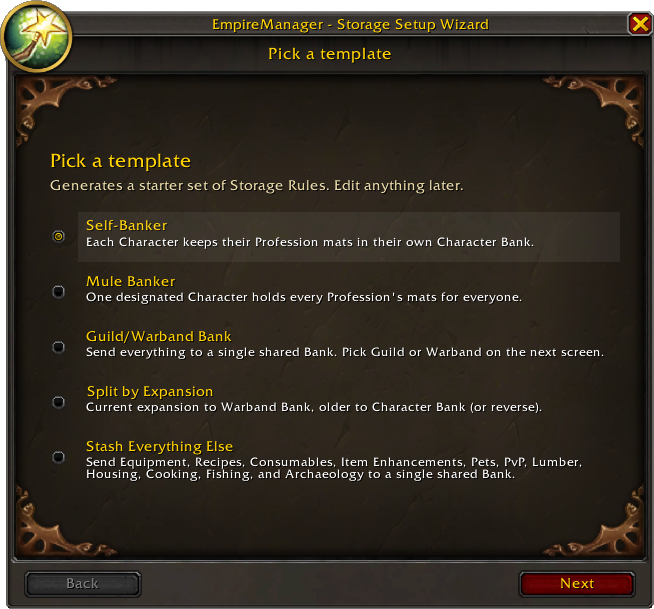
Step 1 of the Wizard is picking one. Each template is a different philosophy for where Profession mats should live. They’re not better or worse than each other - they fit different rosters.
Most setups run two: one of the first four templates for your Profession mats, then Stash Everything Else for everything that isn’t a Profession mat (gear, recipes, consumables, pets). You can run the Wizard a second time - just leave
Clear all existing rules firstunchecked so it appends.
Self-Banker
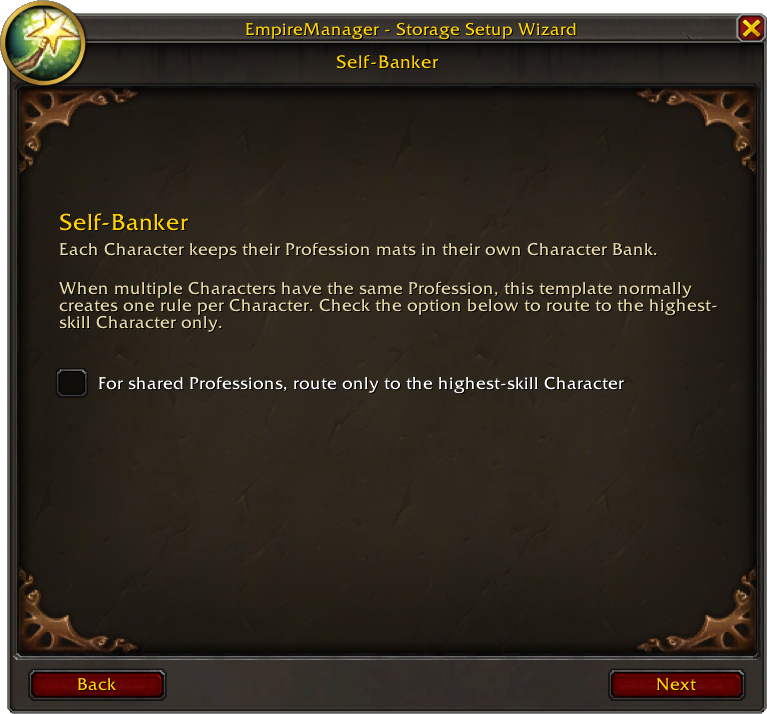
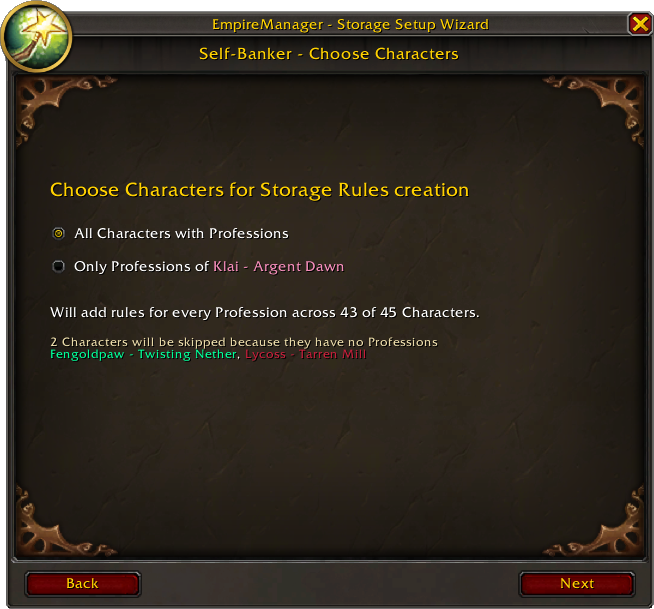
Each Character keeps their own Profession mats in their own Character Bank. One rule per (Character, Profession).
Good fit if your alts are mostly self-sufficient - your Tailor holds their own cloth, your Miner holds their own ore. There’s an optional toggle for the case where alts share a Profession: “route only to the highest-skill Character”, so duplicates collapse to a single winner.
Mule Banker
One designated Character holds every Profession’s mats for everyone. Pick the Mule on the next screen and the Wizard generates one Character Bank rule per Profession pointing at them.
Good fit if you already have a dedicated bank alt and want everything to funnel there. Other characters mail mats to the Mule; the Mule deposits.
Guild/Warband Bank
Send everything to a single shared Bank. Pick Warband or Guild on the next screen and the Wizard creates one rule per Profession pointing at that one destination.
Good fit if you already use a Guild Bank as your stockpile, or if you’re a Warband-first player who likes everything within reach of every alt. No per-character routing, no Mule.
Split by Expansion
Per Profession, two rules: current expansion to one Bank, older expansions to the other. Default is current to Warband Bank, older to Character Bank. There’s a toggle to flip the direction.
Good fit if your current-expansion mats are in active use (you want them in the Warband Bank where any alt can grab them) and your legacy mats are stockpile (parked on whoever has the Profession). Honors the same “highest-skill only” winner logic as Self-Banker on the Character Bank side.
Stash Everything Else
The companion template. It doesn’t touch Profession mats at all - instead it covers every other Storage category: Equipment (BoE / BoA), Recipes, Item Enhancements, Consumables, Pets, PvP, Lumber, Housing, Cooking, Fishing, and Archaeology. All routed to a single destination (Warband, Guild, or one Character) of your choosing.
Good fit paired with one of the four above. Run one of the Profession-mat templates first, then run this one to mop up the rest. You’ll end up with a complete starter setup.
What You Get#
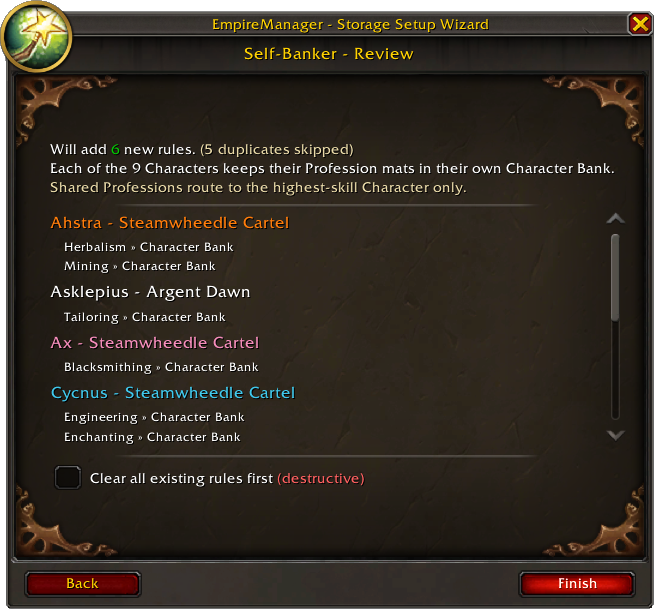
Click Finish and the Wizard creates your Storage Rules - and then it also checks the matching Roles for you: Artisan and Gatherer on every Character with a new rule, Banker on any Character pointed at by a Guild or Character Bank rule. One Wizard run, a working Storage Rules setup and a working Roles setup, no Sidecar trip needed.
For most players, that’s enough - leave it as-is and play. But it’s also a foundation: every rule is editable in the Storage Rules tab (right-click or double-click a row, use the arrows to reorder, delete what you don’t want), and you can add new rules on top whenever you want to fine-tune.
Changed your mind about the whole setup? Open the Wizard again, pick a different template, check Clear all existing rules first, and start over. And if no rule fits an item, EmpireManager just leaves it in bags - picking the “wrong” template doesn’t lose items, it only changes where matched items end up.
See also#
- Storage Rules - how priority works, expansion filters, editing rules after the fact.
- Roles & Assignments - what Artisan, Gatherer, and Banker actually do once they’re checked.