
The Dashboard is the main EmpireManager window - five tabs covering your whole Roster. Open it with /em or the minimap button.
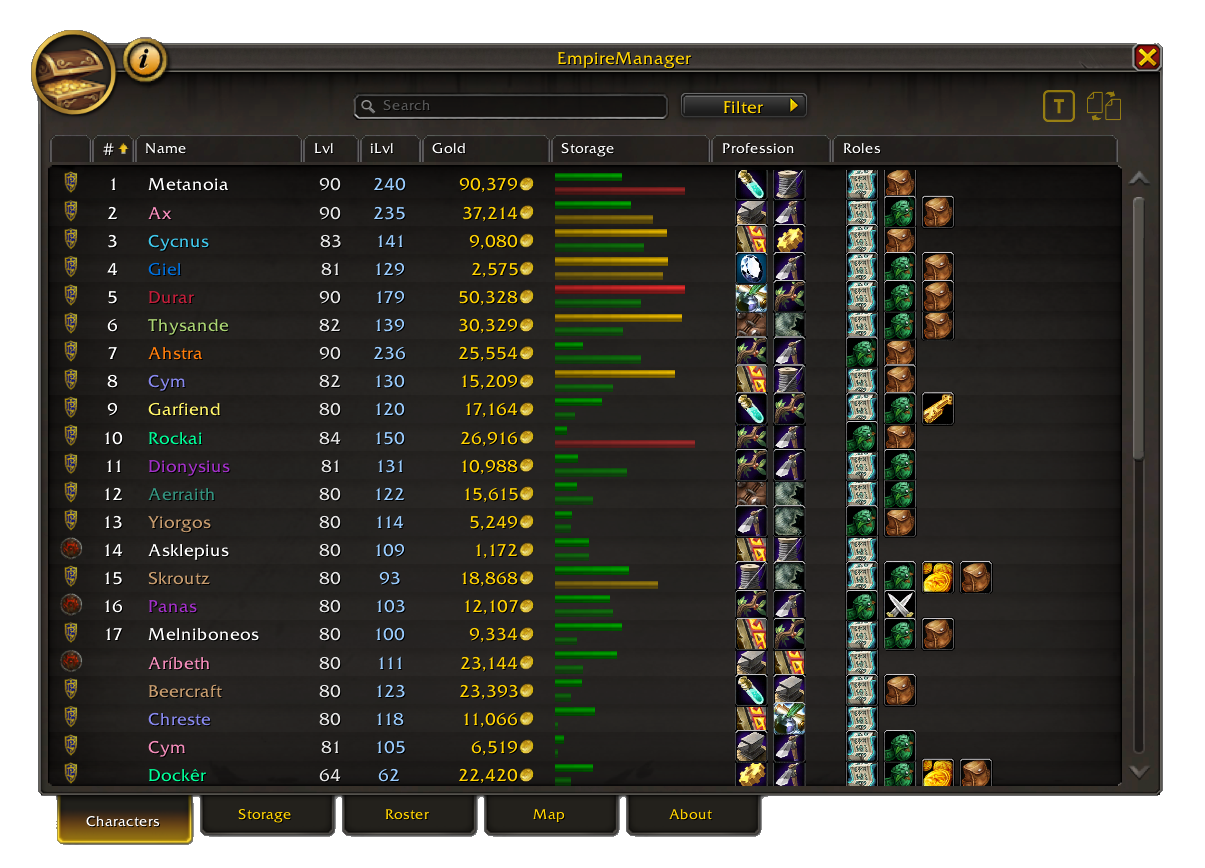
Tab 1: Characters#
The top bar#
- Search box - finds characters by name, realm, guild, profession, level, class, or anything you wrote in their Notes (Sidecar).
- Role filter - dropdown to show only characters with specific roles. Picking multiple roles shows only alts that have all of them.
- Triage button - opens Bag Triage for whoever you’re currently logged in as.
- Import / Export button - opens the Import / Export window.
What each column shows#
| Column | What it is |
|---|---|
| Faction | Horde / Alliance / Neutral icon. |
| # | Your custom sort order. Set this in the Sidecar to keep your alts in your preferred order. |
| Name | Class-colored name. Hover for details. |
| Lvl | Character level. |
| iLvl | Average item level. |
| Gold | Liquid gold with thousand separators (e.g. 42,318). |
| Storage | Bag and Bank fill bars. Hover for exact slot counts and when the Character Bank was last scanned. |
| Prof | Profession icons. Hover to see the actual skill numbers. |
| Roles | Small icons showing what roles this character has (Banker, Artisan, etc.). |
Click any column header to sort. Click again to reverse. Hover any column for more detail.
Select a character row to toggle the Sidecar on the right - it shows that character’s roles, professions, and notes. See Roles & Assignments and Sidecar.
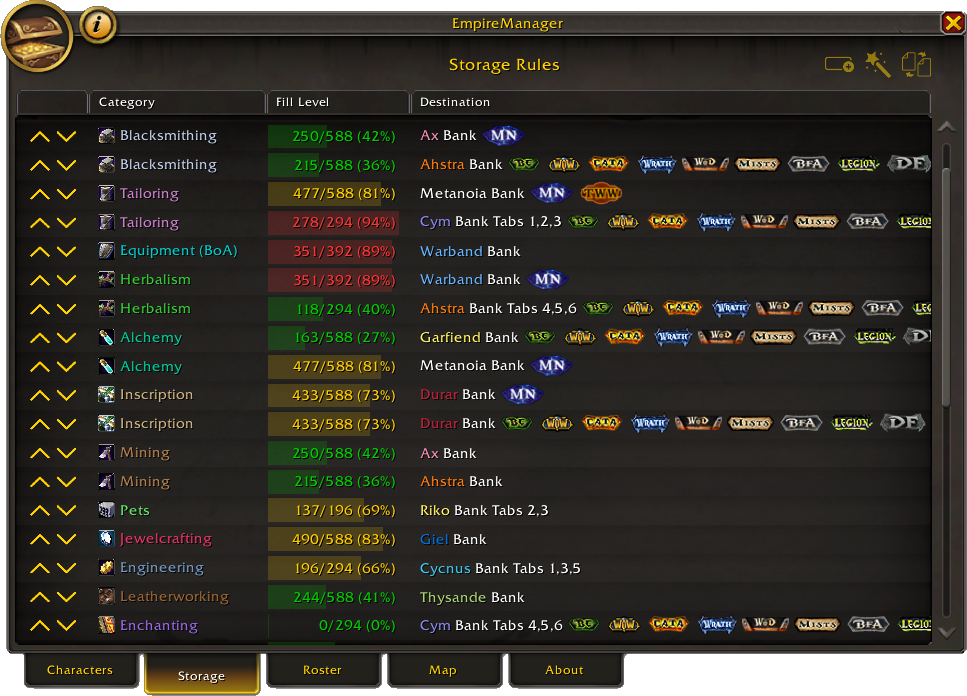
Tab 2: Storage#
All your Storage Rules in one list, with color-coded fill bars showing how full each destination is. This is where you set up “Alchemy mats go to Warband Tab 2” and the like. Full reference: Storage Rules.
Tab 3: Roster#
Stats and breakdowns of your whole account.
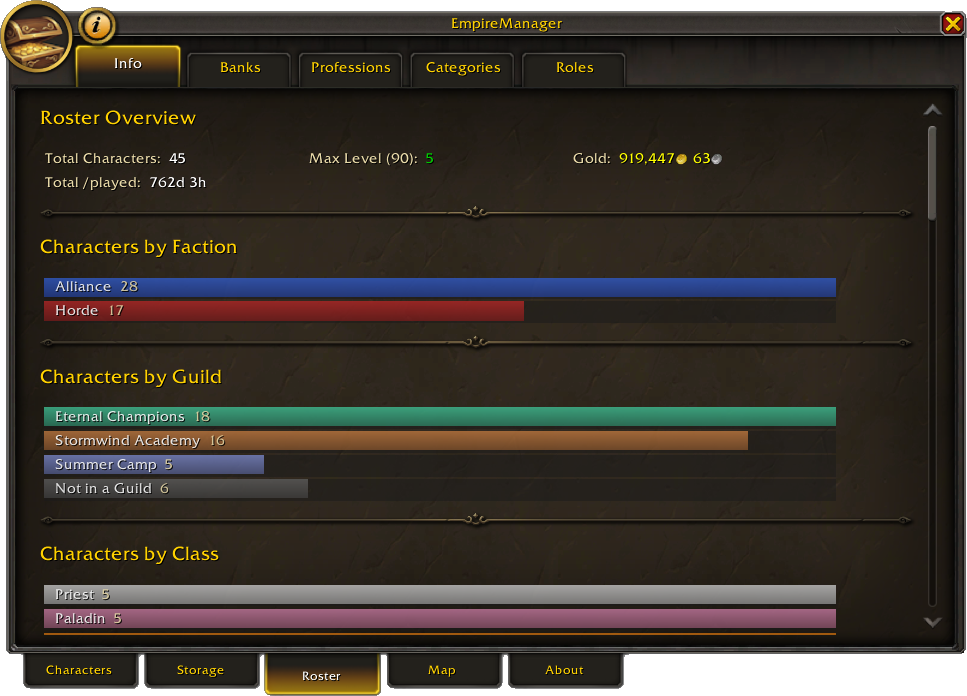
Five sub-tabs:
- Info - totals (how many characters, max level, total gold), plus breakdowns by class, profession, faction, realm, and guild.
- Banks - bank fill levels across your roster (Character Banks, Warband Bank, and Guild Banks).
- Professions - one section per profession with members and their skill levels, plus the linked Storage Rules.
- Categories - non-profession storage targets (Pets, PvP, Equipment, Recipes, etc.) with their configured destinations.
- Roles - characters grouped by role. Anyone without a role appears in an “Unassigned” section.
Many stats are hoverable for a breakdown or a list of the contributing characters.
Tab 4: Map#
Every character grouped by where they last logged out. Useful for finding “wait, which alt did I park at the Auction House?”
- Left-click a row - sets a WoW waypoint at that character’s last location. Works cross-zone.
- Right-click a row - pins or unpins the location. A pinned character’s coordinates stop updating, even when they log in - useful for alts parked at rare spawns. Pinned rows show a blue
*next to the coordinates.
Tab 5: About#
- Header - version, author, description.
- Statistics - this-session and all-time counters: gold earned from vendoring, items vendored, deposited, and mailed.
- Slash Commands - every
/emcommand with a one-line description. Same content as the Commands reference.
See also#
- Sidecar - the per-character config panel that opens from this window.
- Roles & Assignments - what each role does.
- Storage Rules - how Tab 2 actually works.